What Is Blocking AI Crawlers From Seeing Your Site? A 2026 Crawlability Checklist
A practical 2026 checklist for finding the robots.txt, CDN, JavaScript rendering, page structure, metadata, and internal linking issues that prevent AI crawlers from seeing and citing your site.

What Is Blocking AI Crawlers From Seeing Your Site? A 2026 Crawlability Checklist
TL;DR
AI crawlability is the technical foundation of GEO: if AI crawlers cannot access, render, parse, and trust your pages, they cannot reliably cite them. Before rewriting content, check robots.txt, CDN and firewall rules, JavaScript-rendered sections, page structure, metadata, sitemaps, and internal links for blockers.
What blocks AI crawlers from seeing your site?
AI crawlers are blocked when a site prevents them from requesting pages, challenges them before content loads, hides important text behind client-side JavaScript, or publishes pages with weak structure and indexability signals.
The blocker is often not a single “AI SEO” mistake. It is usually a stack of small technical decisions: a robots rule written for training bots, a WAF rule that challenges unfamiliar user agents, a React page whose answers never appear in raw HTML, and a sitemap that omits the comparison page you want cited.
Crawlability blocker | What it looks like | Practical fix |
|---|---|---|
Robots.txt blocks | AI crawler receives | Separate search/retrieval bots from training bots and document the policy |
CDN or firewall challenge | Bot receives 403, CAPTCHA, interstitial, or JS challenge | Allow verified crawler IP ranges and monitor logs |
Rate limits | Only a few pages are fetched before 429s | Set crawler-specific thresholds and crawl budgets |
JavaScript-only content | Raw HTML contains shell UI but not answers | Server-render or statically render core content |
Hidden content | FAQs, pricing, or comparisons live in tabs/modals | Put critical answers in crawlable page HTML |
Weak structure | Long page with vague headings and no direct answers | Use question H2s, summaries, tables, and FAQ blocks |
Indexability issues | Important page has noindex, bad canonical, or missing sitemap entry | Fix index directives and discovery paths |
Why does AI crawlability matter for GEO?
AI systems cannot cite what they cannot access and understand. GEO work depends on making your pages easy for answer engines to discover, retrieve, interpret, and quote.
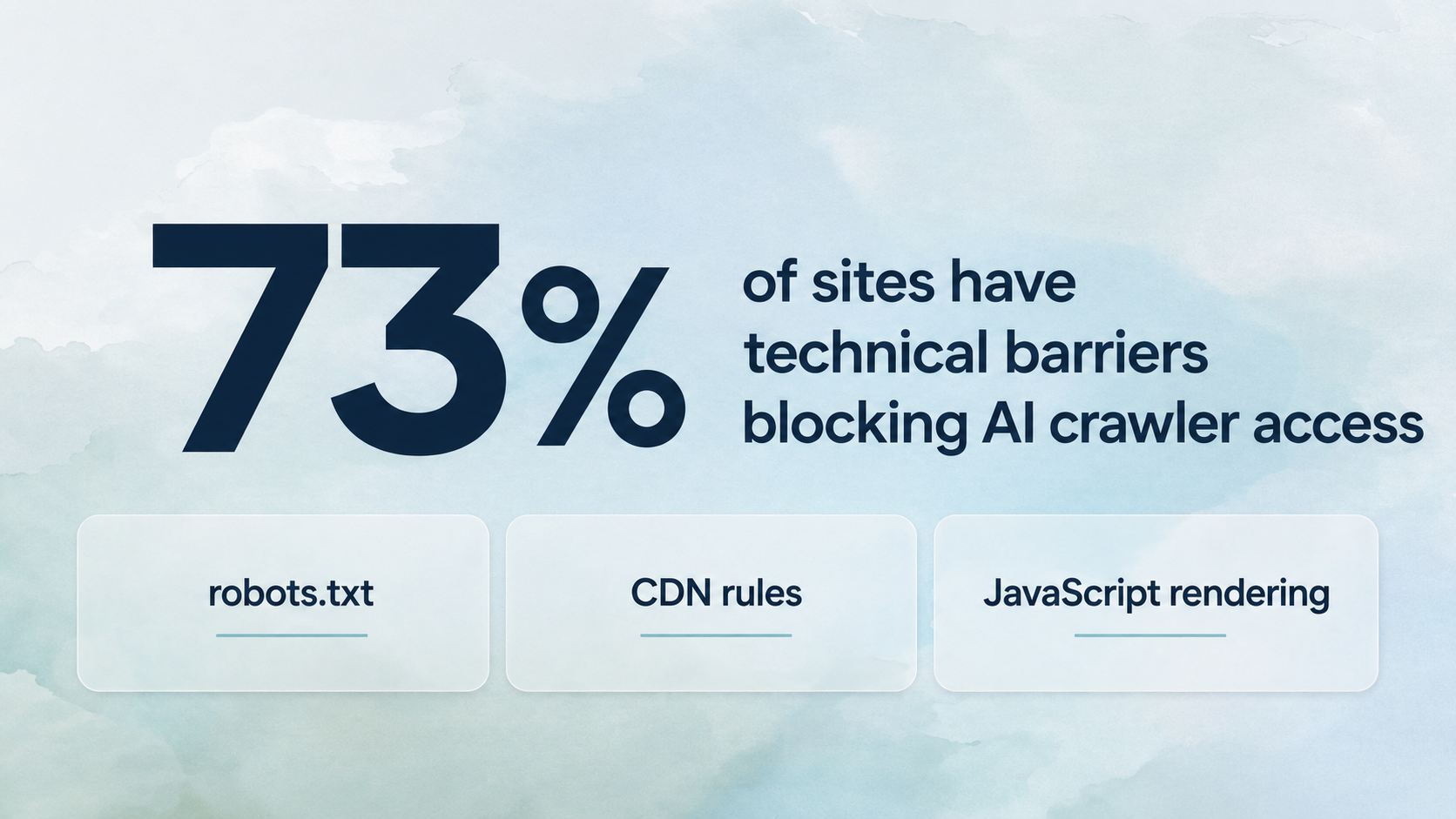
Otterly’s AI Citations Report 2026 analyzed more than one million AI citations and reported that 73% of sites had technical barriers blocking AI crawler access. The report specifically calls out robots.txt, CDN rules, and JavaScript rendering as crawlability failures that stop sites from being considered before content quality even matters.
That is the practical lesson: if your content is strong but inaccessible, you do not have a content problem yet. You have a visibility pipeline problem.
Which robots.txt rules block AI visibility?
Robots.txt blocks AI visibility when it disallows crawlers that are used for search, retrieval, browsing, or answer generation. The common mistake is treating every AI user agent as if it serves the same purpose.
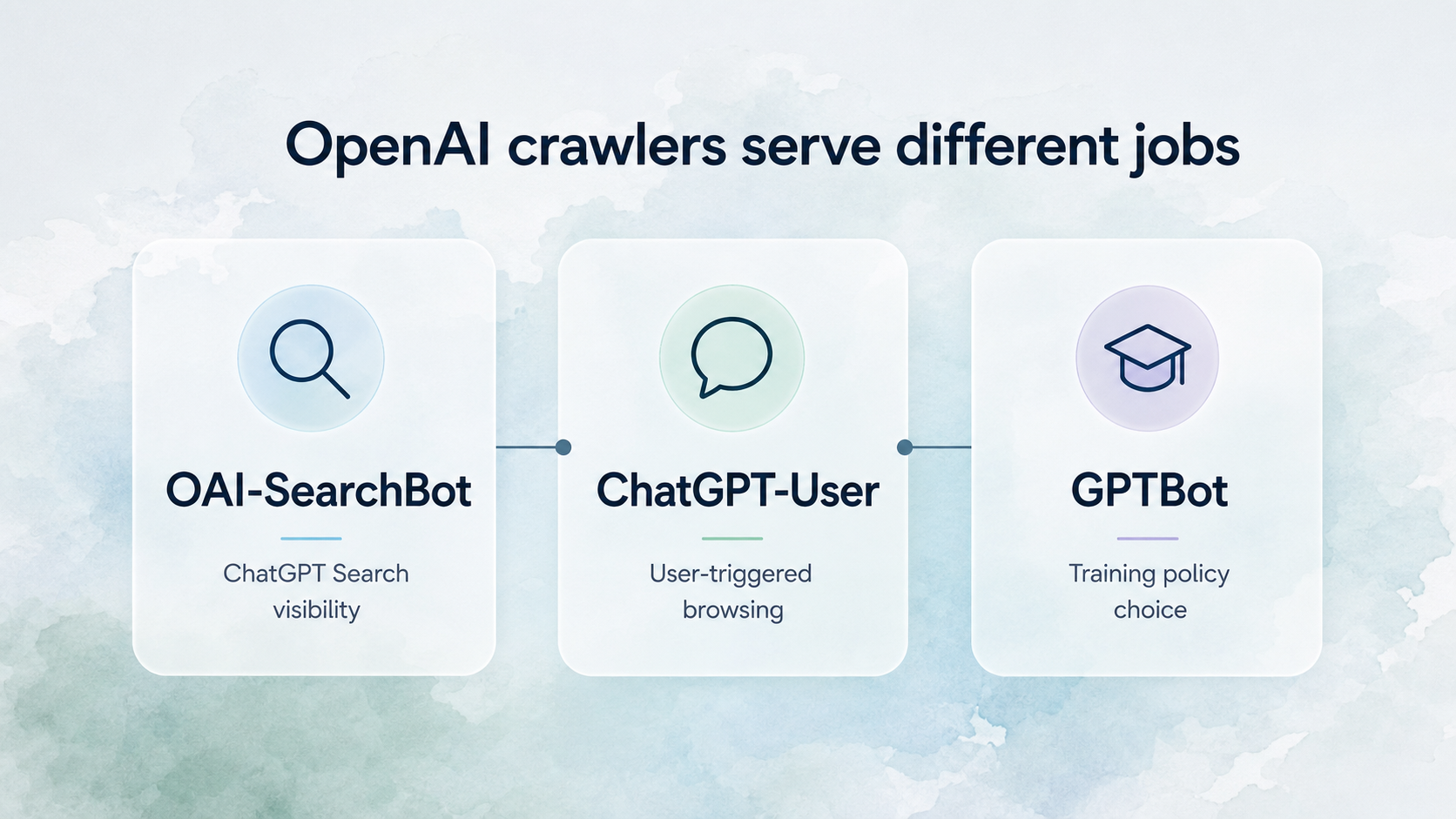
OpenAI’s documentation distinguishes between several crawlers:
OAI-SearchBotis used to surface websites in ChatGPT search features.GPTBotis associated with improving and training models.ChatGPT-Useris used when a user asks ChatGPT to retrieve or interact with a page.
OpenAI says sites opted out of OAI-SearchBot will not appear in ChatGPT search answers, and recommends allowing OAI-SearchBot in robots.txt while also allowing requests from its published IP ranges.
That creates a real policy distinction. A company may decide to block training crawlers while still allowing search and retrieval crawlers that make its public pages eligible for AI search visibility.
How do you allow ChatGPT Search without allowing model training?
Use separate robots.txt rules for separate OpenAI crawlers. Allow OAI-SearchBot if you want ChatGPT Search visibility, then make a deliberate policy choice for GPTBot.
A simple example:
User-agent: OAI-SearchBot
Allow: /

User-agent: ChatGPT-User
Allow: /

User-agent: GPTBot
Disallow: /
This configuration says: allow ChatGPT search and user-triggered browsing access, but do not allow GPTBot for training-related crawling.
Two important notes:
Robots.txt is a public policy signal, not an authentication system.
Your CDN, firewall, and hosting layer still have to allow the same crawler requests. A permissive robots.txt file does not help if Cloudflare, Akamai, Vercel, Netlify, or a custom WAF blocks the request before the page loads.
Can CDN, firewall, or bot protection block AI crawlers?
Yes. Bot protection can block AI crawlers even when robots.txt allows them. The crawler may receive a 403, JavaScript challenge, CAPTCHA, geo block, rate limit, or empty response instead of the page content.
This is one of the easiest problems to miss because the site works for humans and may still work for Google. AI crawler user agents can be less familiar to bot protection systems, and some systems treat unknown automated traffic as hostile by default.
Look for these signals in logs:
repeated 403 or 401 responses to AI user agents
429 rate limits on crawler IPs
challenge pages instead of 200 responses
high edge-block counts for known crawler paths
crawlers fetching robots.txt but never reaching article pages
allowed robots rules with no matching successful page requests
OpenAI publishes IP ranges for its crawlers. If you decide a crawler should be allowed, use both user-agent policy and verified network-level allow rules.
Why does JavaScript rendering break AI crawlability?
JavaScript breaks AI crawlability when important content only appears after browser execution. Many AI crawlers and retrieval systems do not behave like a full user session, so a page that looks complete in Chrome can look thin or empty to a crawler.
This is the modern web app problem. The visible page may include your pricing, FAQ, review snippets, comparison table, and product details, but the raw HTML may contain only a root div, scripts, and a loading state.
For GEO, the critical test is not “can a human see it?” The test is “does the answer-worthy content exist in the initial HTML or reliably rendered output available to crawlers?”
Use server-side rendering, static generation, or hybrid rendering for:
product definitions
pricing and plan descriptions
feature lists
comparison tables
customer proof
FAQ answers
category explanations
support and documentation pages
If the page depends on JavaScript for filtering, personalization, or expansion, keep the canonical answer content visible in the base HTML.
How does weak page structure make content harder to cite?
Weak structure makes it harder for AI systems to extract a clean answer. A crawler may technically access the page, but answer engines still need to identify the relevant claim, surrounding context, and source-worthy section.
For GEO, strong structure usually looks like this:
one clear page intent
question-style H2s that match real prompts
a 40-60 word direct answer after each major heading
tables for comparisons and criteria
checklists for process questions
short definitions for “what is” queries
explicit dates when information is time-sensitive
named entities written consistently
internal links to supporting pages
Avoid burying important answers in vague sections like “Overview,” “Solutions,” or “Why it matters” without a direct answer nearby. Those headings may read fine to a human, but they give an answer engine less to work with.
Do tabs, modals, and accordions hide content from AI crawlers?
They can. Hidden UI is risky when the hidden text contains the exact information you want AI systems to cite.
Accordions are not automatically bad. Tabs are not automatically bad. The problem is when the content is not present in HTML, is lazy-loaded only after interaction, or is disconnected from a stable URL and heading structure.
Be careful with:
FAQ answers loaded only after a click
pricing details inside toggles
comparison tables behind tabs
reviews loaded by a third-party widget
“show more” sections that fetch content later
modals that contain product details or legal claims
If the content matters for AI visibility, make it accessible without requiring a custom interaction path.
Which metadata and indexability issues matter?
Indexability issues matter when they send conflicting signals about whether a page should be discovered, trusted, or treated as canonical. AI crawlers are not identical to Google, but classic technical SEO signals still shape discoverability.
Check these issues first:
Signal | What can go wrong | Why it matters |
|---|---|---|
| Important page tells crawlers not to index it | The page may be ignored by search and retrieval systems |
Canonical tag | Canonical points to an irrelevant or weaker page | The wrong page may consolidate authority |
Sitemap | Key pages are missing or stale | Crawlers have weaker discovery paths |
Schema | Article, FAQ, Product, or Organization data is missing | Entities and page roles are less explicit |
Query URLs | Important pages depend on parameters | Crawlers may avoid or deduplicate them |
Internal links | Page is orphaned or only linked from JS UI | Crawlers may not discover or prioritize it |
For AI visibility, metadata does not replace strong content. It makes strong content easier to find and classify.
How do you test whether AI crawlers can see your content?
Test the page the way a crawler experiences it: policy, access, raw content, rendered content, and extractability. Do not rely only on a browser screenshot.
Use this practical audit:
Fetch
robots.txtand confirm the rule for each relevant user agent.Request the page with a crawler-like user agent and confirm it returns 200.
Check CDN, WAF, and server logs for blocks, challenges, and rate limits.
View source or fetch raw HTML and search for the important answer text.
Disable JavaScript and confirm the core content still exists.
Inspect canonical, noindex, schema, hreflang, and sitemap entries.
Crawl internal links from nearby pages and confirm the page is discoverable.
Extract the page into plain text and ask whether the answer still makes sense.
Compare AI answer output before and after fixes across ChatGPT, Perplexity, Claude, and Google AI experiences where relevant.
The best audit output is not just “pass/fail.” It should say exactly which crawler is blocked, where it is blocked, and whether the issue is policy, infrastructure, rendering, structure, or content quality.
What should an AI crawlability audit include?
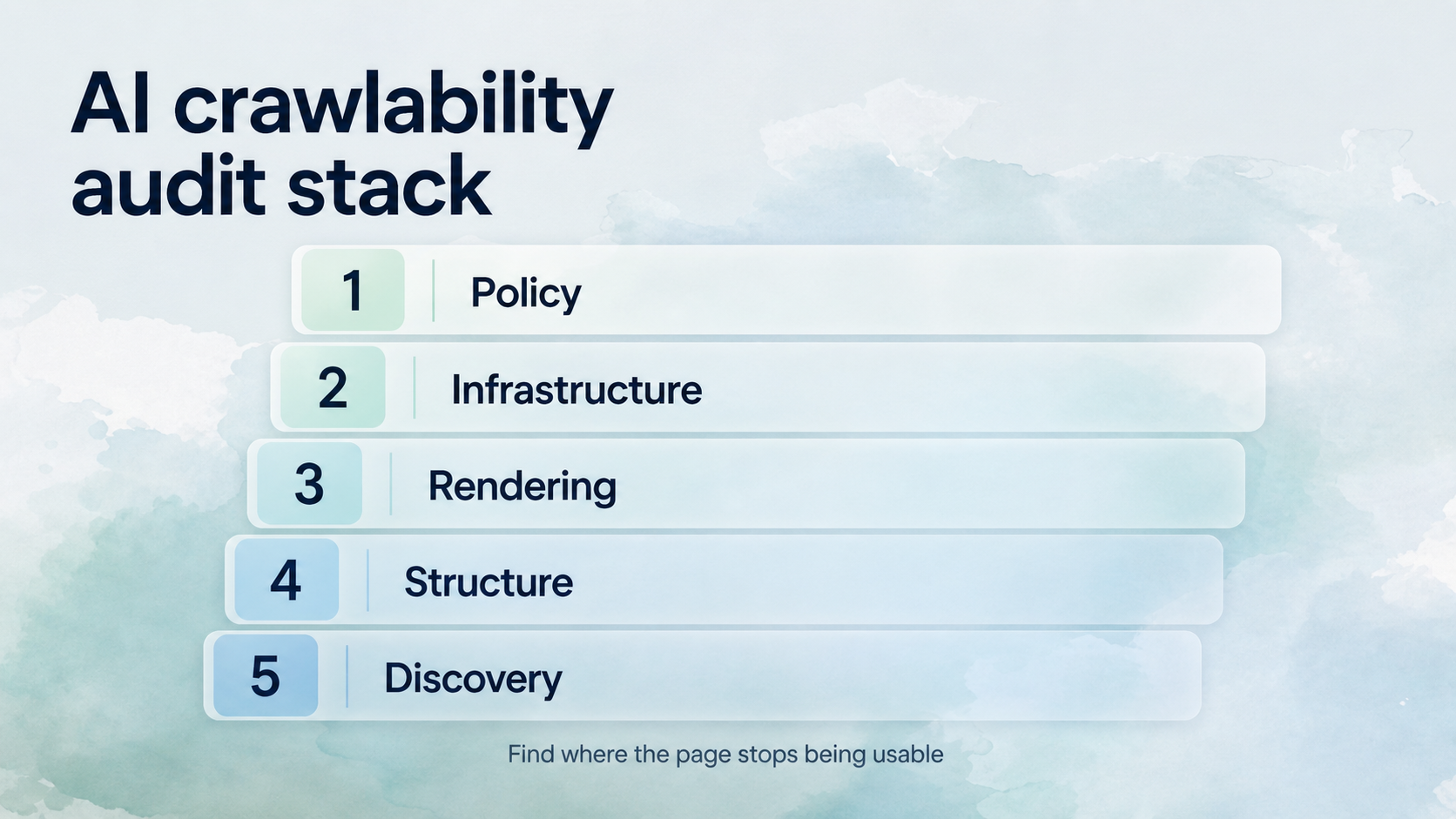
An AI crawlability audit should separate five layers: crawler policy, infrastructure access, rendering, page structure, and discovery signals. That separation prevents teams from fixing the wrong problem.
Layer | Audit question | Example fix |
|---|---|---|
Policy | Which AI crawlers are allowed or blocked? | Update robots.txt by crawler purpose |
Infrastructure | Are allowed crawlers challenged or blocked? | Add verified IP allow rules and sane rate limits |
Rendering | Is core content available without client-side JS? | Server-render answer-worthy sections |
Structure | Can an answer engine extract direct answers? | Add question H2s, summaries, tables, and FAQs |
Discovery | Can crawlers find and classify the page? | Fix sitemap, canonical, schema, and internal links |
This is where many teams misread AI visibility. If ChatGPT does not mention your brand, the answer might be “you need better authority.” It might also be “your best page is blocked by a CDN challenge” or “your pricing table is invisible in raw HTML.”
How does Anagram help with AI crawler visibility?
Anagram helps teams track whether AI systems mention, compare, and cite their brand across important prompts. That makes crawlability work measurable instead of theoretical.
The workflow is straightforward:
identify prompts where your brand should appear
check whether AI systems mention or cite your pages
audit whether the right pages are crawlable and extractable
fix technical blockers first
improve content structure and topical coverage
monitor whether visibility changes after publication and crawlability fixes
Anagram is not a robots.txt validator or CDN log parser. It is the monitoring layer that helps you see whether those technical fixes are translating into actual AI visibility.
FAQ
What is AI crawlability?
AI crawlability is the ability of AI-related crawlers and retrieval systems to access, render, parse, and use your website content. It includes robots.txt policy, server access, JavaScript rendering, page structure, metadata, sitemaps, and internal links.
Is GPTBot the same as ChatGPT Search?
No. OpenAI documents separate crawlers. GPTBot is associated with improving and training models, while OAI-SearchBot is used to surface sites in ChatGPT search features. ChatGPT-User supports user-triggered browsing actions.
Should I block GPTBot?
That is a policy decision. Some sites allow search/retrieval crawlers for visibility but block training crawlers. The important point is to make the decision deliberately, not by accidentally blocking every OpenAI user agent.
Can ChatGPT cite my site if OAI-SearchBot is blocked?
OpenAI says sites opted out of OAI-SearchBot will not be shown in ChatGPT search answers. If ChatGPT Search visibility matters, review your robots.txt and network allow rules for OAI-SearchBot.
Does Google indexing mean AI crawlers can see my site?
No. Google indexing is useful, but it does not prove that OpenAI, Perplexity, Claude, or another AI crawler can access the same content. Different systems can follow different robots rules, rendering behavior, IP ranges, and rate limits.
What is the fastest crawlability test?
Fetch the page as plain HTML and search for the exact answer text you want cited. If the answer is missing from raw HTML, hidden behind interaction, blocked by robots.txt, or challenged by your CDN, fix that before rewriting the content.
Sources
OpenAI crawler documentation, including
OAI-SearchBot,GPTBot,ChatGPT-User, robots.txt guidance, and published IP ranges: https://developers.openai.com/api/docs/botsOtterly, “The AI Citations Report 2026”: https://otterly.ai/blog/the-ai-citations-report-2026/
RFC 9309, Robots Exclusion Protocol: https://datatracker.ietf.org/doc/html/rfc9309
Google Search Central, JavaScript SEO basics: https://developers.google.com/search/docs/crawling-indexing/javascript/javascript-seo-basics