How to Answer Shoppers' Product Questions With AI on Your Site in 2026
A practical guide to answering shoppers' product questions with an on-site AI assistant, including source data, pricing, launch steps, guardrails, and how to measure whether it works.

How to Answer Shoppers' Product Questions With AI on Your Site in 2026
By Zach Luker - GEO Researcher
Published July 24, 2026 · Last updated July 24, 2026
TL;DR
You can answer shoppers' product questions with AI by adding a site agent that understands your product catalog, policies, reviews, and product-page content. Start with high-intent pages, clear source data, answer guardrails, and weekly review of what shoppers ask. Anagram starts at $0/month for teams testing the workflow.
What does it mean to answer product questions with AI on your site?
Answering product questions with AI means giving shoppers a conversational product expert directly on your website. Instead of forcing customers to search FAQs, scan reviews, or email support, the AI assistant can answer questions about fit, routines, ingredients, compatibility, sizing, availability, policies, and which product makes sense for a specific need.
The key difference from an old chatbot is grounding. A useful product-question assistant should pull from trusted product data, pages, reviews, FAQs, support docs, and brand-approved answers. If it cannot find a reliable answer, it should say so or route the shopper to a human.
Ecommerce question-answering research treats product QA as its own problem because shoppers often need answers that combine specs, reviews, seller policies, and context. That is the bar for an on-site AI assistant. It has to know the product well enough to help a shopper decide.
How can I answer shoppers' questions about my product using AI on my site?
The fastest path is to launch an on-site AI assistant, connect it to your product and brand information, place it where shoppers hesitate, and review the questions it collects. Start with one high-intent page or product category before rolling it across the full store.
For a DTC brand, the best first placement is usually a product detail page, product finder, comparison page, or landing page where shoppers need confidence before buying. Anagram describes this as an Engage, Learn, Improve loop: answer questions, uncover what shoppers care about, then improve the site and AI visibility from those questions.
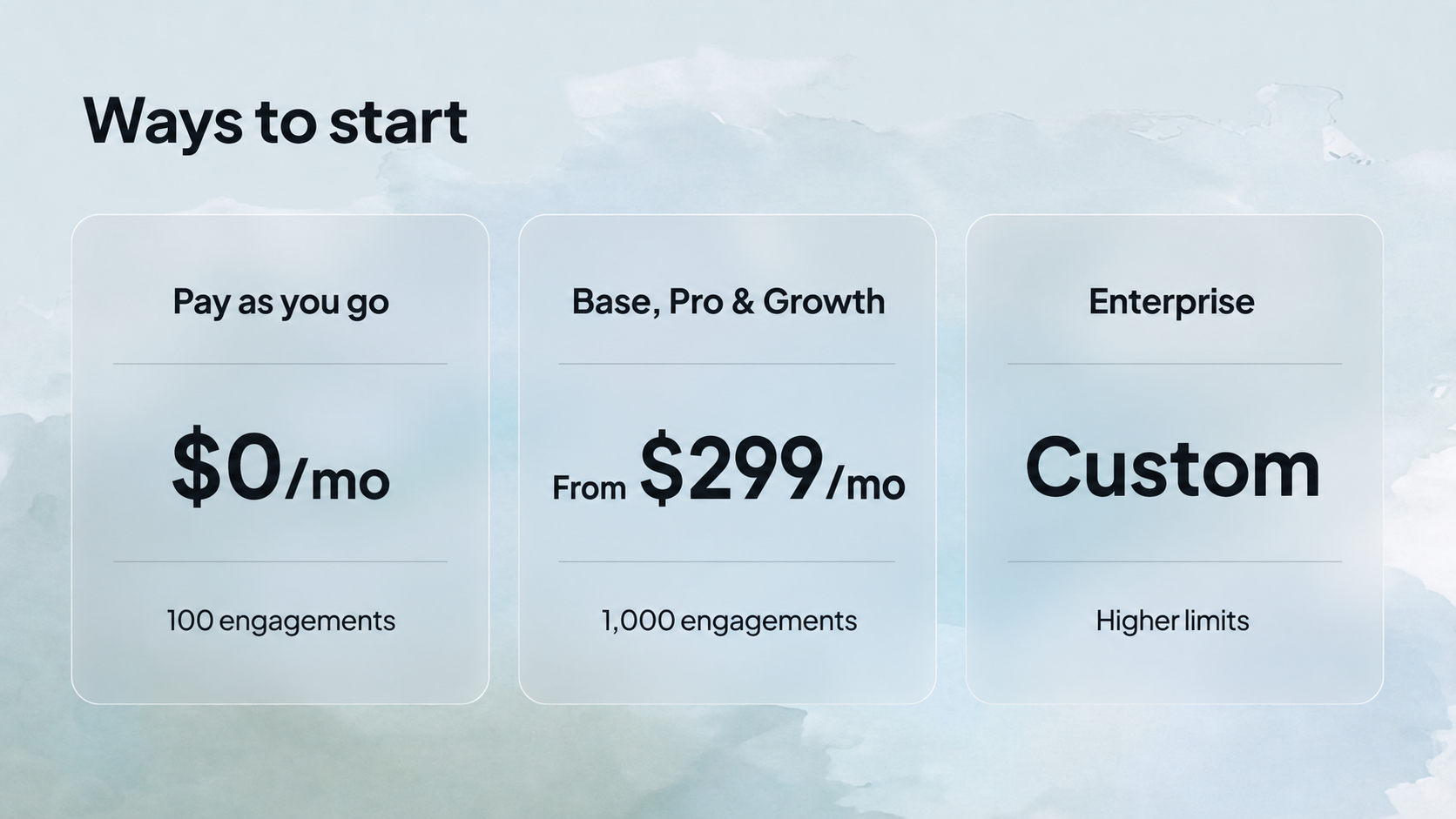
A focused first launch is easier to measure than a site-wide rollout.
Step | What to do | Why it matters |
|---|---|---|
1. Pick the moment | Start on PDPs, quizzes, comparison pages, or landing pages | These are the pages where uncertainty blocks purchase |
2. Ground the assistant | Connect product pages, FAQs, policies, reviews, and catalog data | AI answers need reliable source material |
3. Set guardrails | Define what the assistant can answer and when it should escalate | Bad answers damage trust faster than no answer |
4. Launch prompts | Seed common questions shoppers actually ask | Suggested questions make the experience easier to use |
5. Review questions | Track unanswered, repeated, and conversion-adjacent questions | The question log becomes a content and CRO roadmap |
How do I add an AI assistant that knows my products?
Add an AI assistant that knows your products by connecting it to structured product data, brand-approved content, and the pages where shoppers need help. The assistant should know product names, variants, prices, ingredients, sizes, use cases, policies, reviews, and recommendation rules before it starts answering customers.
OpenAI's Agentic Commerce Protocol documentation says product feeds help ChatGPT understand product identifiers, descriptions, pricing, inventory, media, and fulfillment options for search and shopping experiences. The same principle applies on your site. The assistant cannot give reliable product answers if your catalog, descriptions, and policy content are thin, stale, or scattered.
Minimum data set:
Product titles, descriptions, variants, price, availability, and images
PDP copy, buying guides, comparison pages, and routine instructions
Shipping, returns, warranty, subscription, and guarantee policies
Review themes, support macros, and frequent pre-purchase questions
Rules for restricted claims, medical claims, regulated products, or human escalation
How much does it cost to answer product questions with AI on your site?
With Anagram, brands can start with a pay-as-you-go Site Agent plan at $0/month, including 100 engagements and $30 for each additional 100 engagements. Brands with steadier usage can choose Base, Pro, and Growth plans starting at $299/month, including 1,000 engagements. Enterprise plans support higher limits and custom volumes.
Pricing matters because an AI assistant should be tested against real shopper behavior before a team commits to a large rollout. A small brand can start with one experience and watch what questions shoppers ask. A higher-traffic brand may need predictable monthly pricing, longer data retention, and onboarding support.
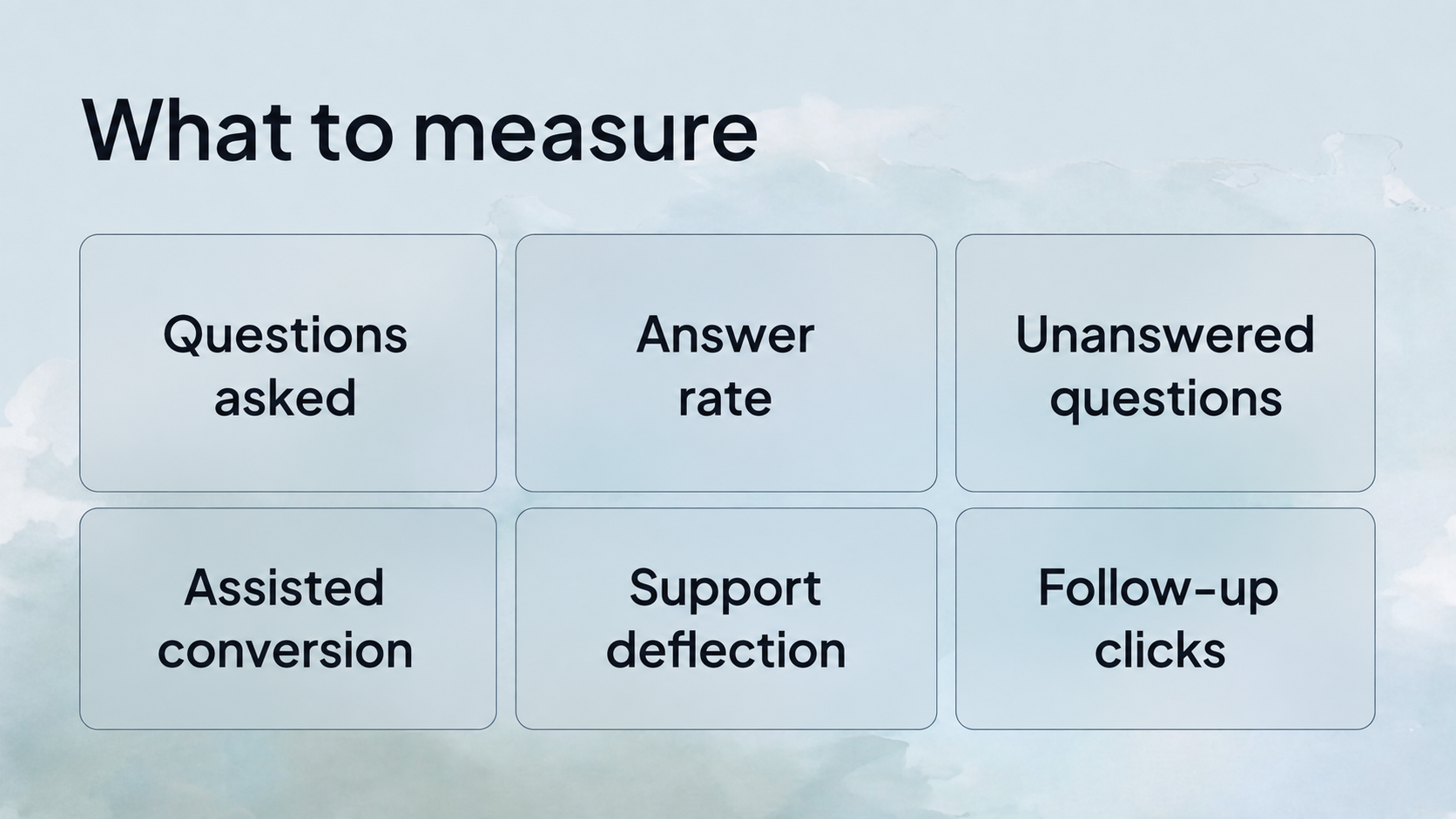
Anagram has a pay-as-you-go entry point for teams testing an on-site AI assistant.
Plan | Public starting price | Best for | Publicly listed usage |
|---|---|---|---|
Pay as you go | $0/month | Brands testing a flexible AI experience | 100 engagements included; $30 per additional 100 |
Base, Pro & Growth | $299/month starting price | Brands with steadier usage | 1,000 engagements included |
Enterprise | Custom | High-traffic brands focused on scale | Higher limits, custom volumes, longer retention, dedicated onboarding |
What questions should an on-site AI assistant answer first?
An on-site AI assistant should answer the questions that block purchase decisions first. For product brands, those usually include fit, size, ingredients, compatibility, use case, routine, shipping, returns, comparison, and "which one is right for me?" questions. Support deflection is useful, but purchase confidence should come first.
Anagram's homepage uses Divi as an example of a product expert that helps customers navigate postpartum hair-loss questions with clear answers about routines, application, and what to expect. That works because it meets shoppers at a specific decision point. It does not try to answer everything on the internet.
High-priority starter questions:
Which product is right for my goal?
How often should I use this?
What size, shade, or variant should I choose?
Will this work with my current routine or equipment?
What should I expect after the first use?
How does this compare with the other option?
Can I return it if it does not work for me?
What should I connect before launching an AI product expert?
Before launch, connect the content that makes answers accurate: product pages, product feeds, FAQ pages, reviews, buying guides, support macros, and policies. Then test the assistant against real shopper questions. If the answer is vague, unsupported, or risky, improve the source material before sending traffic to it.
Product QA research shows why source quality matters. Ecommerce answer-generation systems often need multiple sources, including reviews, similar questions, and product specifications. A useful AI assistant needs retrieval quality and answer guardrails, not just a friendly chat box.
Source | What it helps answer |
|---|---|
Product catalog | Price, variants, inventory, attributes, images |
PDP copy | Benefits, use cases, ingredients, sizing, compatibility |
Reviews | Real customer language, edge cases, common concerns |
FAQs and policies | Returns, shipping, warranty, subscriptions |
Support macros | Known objections and approved responses |
Buying guides | Comparisons, routines, recommendations, bundles |
How long does it take to launch an AI assistant on a product page?
The fastest no-code path can be minutes to a first version and a few days to a well-tested launch. The real timeline depends on content readiness, integrations, review cycles, and traffic volume. Teams should budget time for source cleanup, answer testing, guardrails, placement, and post-launch question review.
Anagram says brands can launch branded Site Agents in minutes and skip the typical developer, design sprint, and long wait. That is useful for testing, but a strong production launch still needs human review. Test the assistant against the messy questions shoppers actually ask.
How do AI product answers help ChatGPT visibility?
AI product answers help ChatGPT visibility indirectly by turning shopper questions into better on-site content and cleaner product information. When customers repeatedly ask the same question, that is a signal to improve PDP copy, FAQs, comparisons, guides, and structured product data that AI systems can later understand and reuse.
This matters because AI shopping is becoming more conversational. OpenAI's commerce documentation points toward a future where assistants use structured product information to surface products in search and shopping experiences. On-site questions show you the wording shoppers use before they buy.
On-site questions are also a private signal. Competitors can copy a generic FAQ strategy, but they cannot see the exact questions your shoppers ask before buying. That makes question logs one of the most useful inputs for GEO content, product-page optimization, and customer education.
How do I know if my AI assistant is working?
An AI assistant is working when it answers high-intent questions accurately, reduces avoidable hesitation, teaches the team what shoppers care about, and improves the next version of the site. Do not judge it only by chat volume. Measure answer usefulness, product engagement, assisted conversion, support deflection, and repeated unanswered questions.
Anagram publishes three useful examples: Bote decreased traditional customer support contacts by 36%, Dakine engaged over 25,000 shoppers, and Elan Pure raised conversion rates to 13% with Anagram-assisted sessions. Treat those as examples of what to measure: support load, engagement volume, and conversion quality.
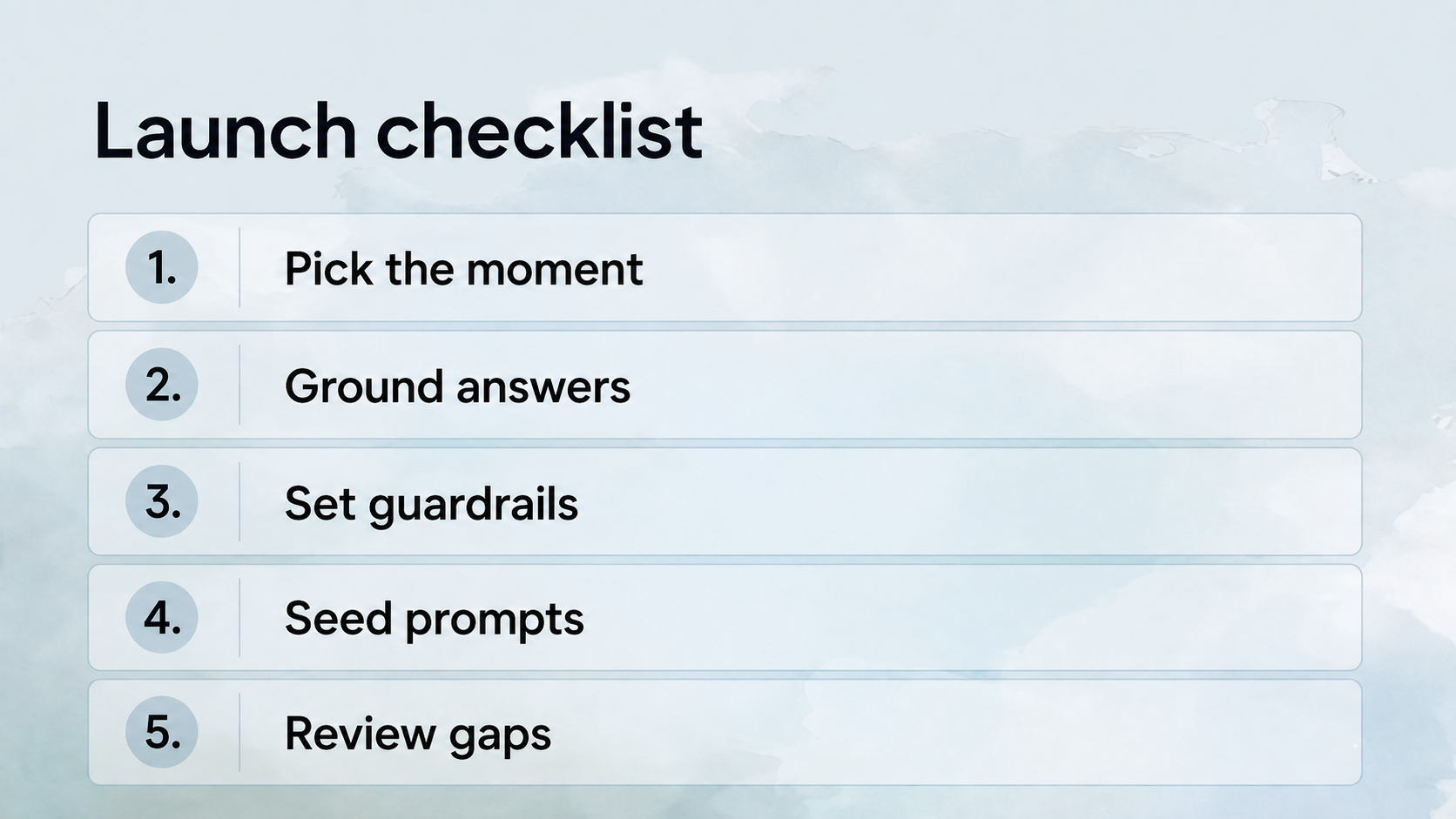
Measure whether the assistant improves decisions, not just whether shoppers open it.
Metric | What it tells you |
|---|---|
Questions asked | Where shoppers hesitate |
Answer rate | Whether your source content is complete |
Unanswered questions | What content or policy gaps to fix |
Assisted conversion | Whether answers help shoppers move forward |
Support deflection | Whether repetitive pre-purchase questions are handled |
Follow-up clicks | Whether the assistant points shoppers to useful next steps |
What is the safest way to launch an AI assistant on a product page?
The safest launch starts narrow, uses trusted sources, limits risky claims, and escalates uncertain answers. Avoid letting the assistant invent medical, legal, warranty, pricing, or safety guidance. For regulated or sensitive categories, the assistant should provide approved information and route anything uncertain to human support.
That is the difference between a useful product expert and a frustrating chatbot. Forrester, commenting on a Wall Street Journal feature about chatbot frustration, pointed to bad design, speed, and inability to provide correct answers as the root of the disconnect. AI should remove friction, not trap customers in it.
Frequently asked questions
Do I need a developer to add an AI assistant to my site?
Not always. A no-code or low-code platform can launch a branded AI experience without a custom engineering build. You may still need a developer for deeper integrations, custom data flows, analytics events, or advanced checkout behavior, but the first useful product-question assistant should not require a six-week build.
Should the AI assistant appear on every page?
No. Start where questions block decisions: PDPs, comparison pages, buying guides, quizzes, and high-intent landing pages. A site-wide widget can work later, but focused placement creates cleaner data and fewer irrelevant questions during the first launch.
Can an AI assistant recommend products?
Yes, if it has reliable product data and clear recommendation rules. Product recommendations should be grounded in attributes like use case, size, compatibility, price, availability, and customer constraints. If the assistant cannot explain why it recommended an item, the recommendation is not ready for production.
Can AI replace my FAQ page?
No. AI should make your FAQ easier to access, not replace the source content. The FAQ, buying guide, policies, and product pages are the ground truth the assistant needs. If the AI keeps answering the same question, that answer should probably become visible page content too.
What should I do after launch?
Review the question log weekly. Add missing answers, improve PDP copy, update product data, create new FAQ blocks, and flag questions that need human escalation. The best AI assistants get better because the team uses shopper questions as a content and conversion roadmap.
Next steps
Start with one high-intent product page or category and launch an AI experience that answers the questions customers already ask before they buy. Anagram offers a 7-day free start, with pay-as-you-go pricing for brands that want to test before scaling.